Hear the why.
Collect spoken feedback, or pair a rating or choice with an audio explanation.
Explore audio questionsOnline poll maker
Give your audience a simple way to weigh in. Create an online poll for team preferences, event planning, or a quick pulse on a decision.
Start free Audio & video questions Customize without code

Go deeper than a text box. Add audio and video questions to your forms and surveys, so people can explain an experience in their own words.
Collect spoken feedback, or pair a rating or choice with an audio explanation.
Explore audio questionsCollect video answers for customer stories, introductions, and qualitative research.
Explore video questionsRecording and storage allowances vary by plan. Compare plans →
Start with the outcome
A poll works well when the audience understands the question and the available choices. It is useful for preferences and prioritization, but a quick vote does not replace deeper research.
Ask about one choice or preference at a time. Add the context people need so they can answer without guessing what the options mean.
Use distinct choices and include “other” or “no preference” when appropriate. Avoid overlapping time ranges or descriptions that favor one answer.
Say when the poll closes and whether the result is advisory or determines the next step. Keep expectations clear when the organizer makes the final decision.
Inside RapidoForm
See the selection question editor in action, explore the theme gallery, and inspect the mobile preview before writing your own poll.

Showing: Make the wording yours. Screens use sample content. Feature availability varies by plan.
A quick look around
Choose a question, edit the answers, explore themes, and switch to the mobile preview.
A silent guided sequence of real builder screens, using a sample feedback form.
Try the builder for free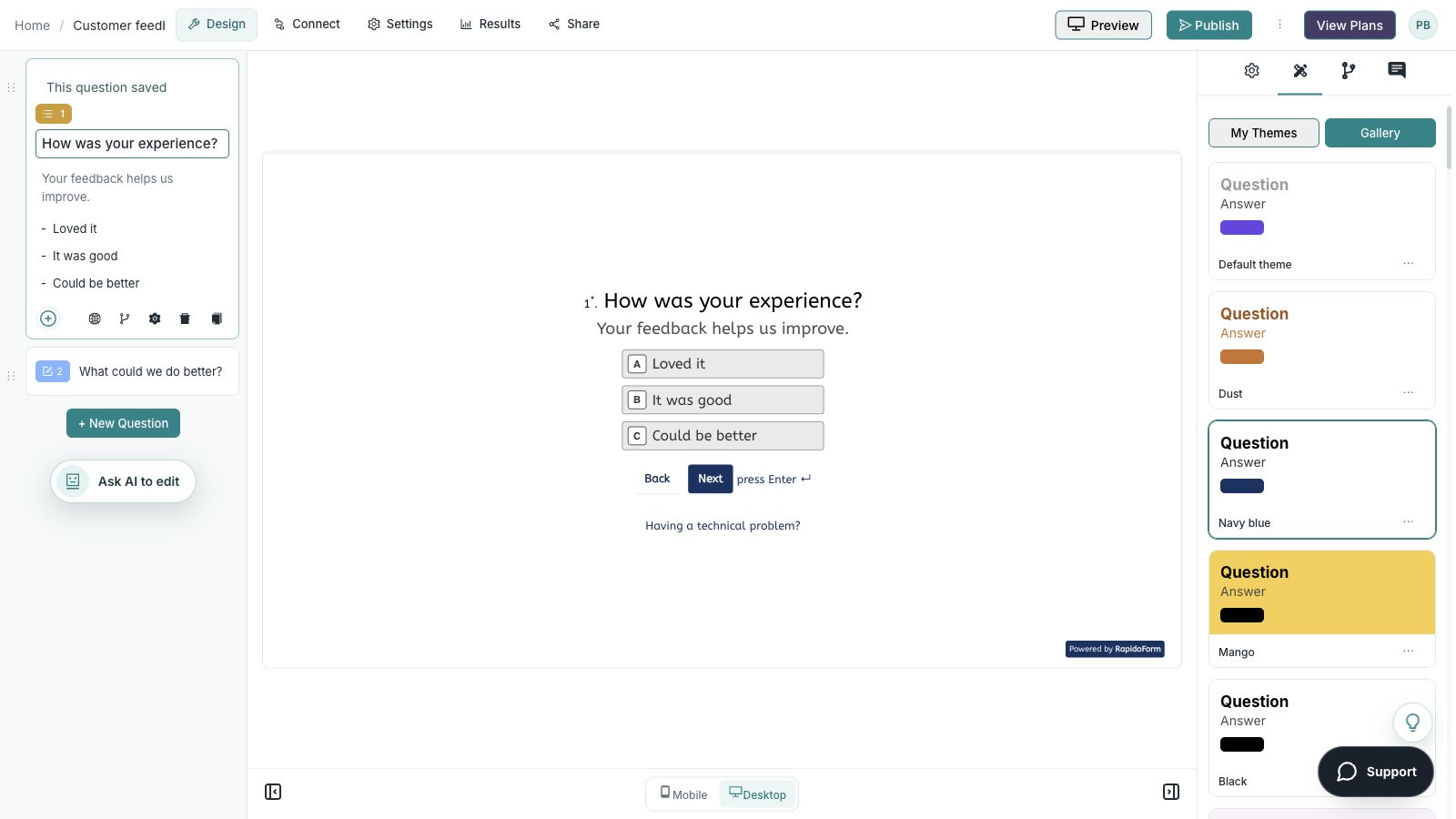
Picture the possibility
Your team needs to choose a workshop topic. A well-framed poll gives people enough context to express a preference and explains how the organizer will use the result.
Illustrative example. Answers stay on this page and are not submitted.
Why RapidoForm
RapidoForm can give a small decision a clear question, understandable choices, and a shareable respondent experience. Start with the audience and the rule for making the decision.
Explore current plans and usageBuild the poll with the selection format that fits the decision. A preferred topic needs one answer; availability may need every suitable option.
Explore question creationCustomize the introduction and theme so people know who is asking and why. Include complete option descriptions rather than assuming everyone has the same background.
See theme customizationPublish the current version and verify the respondent link. Explain the closing time and how you will use the answer in the invitation.
Review sharing stepsYour workflow, simplified
A short poll still needs clear instructions and a sensible way to interpret answers.
Define what is being chosen, who should answer, and any limits. Do not ask people to vote on options you cannot actually provide.
Choose single selection for one preference or multiple selection when several choices are allowed. Say how many answers people may choose.
Test the live poll, share it with the intended audience, and set a closing time. Review the responses in context before announcing the next step.
Use single choice when you need one preferred option. Use multiple selection when the question is about every suitable option, such as event availability.
Avoid interpreting a multiple-selection total as a share of people without checking the denominator. Label charts and summaries so readers know what was counted.
Compare question formatsAn audience poll describes the people who responded. Unless your recruitment and controls support a broader inference, do not present the result as the view of an entire market.
Do not assume a public link enforces one vote per person. Check the response controls available for your setup and use an appropriate process for high-stakes decisions.
Plan a more detailed studyFind your starting point
Start with a situation your audience recognizes, then shape the questions around the next step.
Ask for one preferred topic or option and explain the decision rule.
Use complete dates and allow multiple selections when appropriate.
Ask a focused question about a recent announcement or experience.
Make it useful
Keep the context visible and let participants know how their answer will be used.
| Poll question | Answer design | Decision it supports |
|---|---|---|
| Which workshop topic would be most useful? | Single choice with distinct topics | Plan the next learning session. |
| Which dates can you attend? | Multiple choice with complete dates | Find a workable event slot. |
| Which proposed improvement should we investigate first? | Single choice with brief definitions | Prioritize discovery, rather than promise delivery. |
| How clear was today’s announcement? | Labeled clarity scale | Decide whether a follow-up explanation is needed. |
| Which format do you prefer for the next update? | Single choice plus no preference | Choose a communication format. |
Use these as starting points. Adapt the wording, choices, and required fields to your audience before publishing.
A small change with a purpose
Clear wording helps someone give you the information you actually need. Here are two improvements to try.
“What should we do?”
“Which topic would be most useful for next month’s workshop?”
The decision and the time period are clear.
“Choose a date: Monday or Tuesday.”
“Which session can you attend? Include each full date and time.”
Complete choices prevent people from interpreting the schedule differently.
Put the idea into practice
Find which topic the intended audience would find most useful.
Example introduction
Help us plan the next session. Choose the topic you would most like us to cover; the organizer will review the responses before confirming the agenda.
Customer research / Better onboarding / Product planning / No preference
Make the options distinct and include an honest neutral answer.
A topic-specific question or example.
Collect useful planning context without complicating the vote.
An alternative the organizer can review.
Leave room for an idea outside the current list.
Who this is for
People invited to the next workshop.
How the path works
Use one required preference question and optional context. State the closing time in the real invitation, and decide how a tied result will be reviewed.
Example ending
“Thanks for helping shape the next session. The organizer will review the preferences and confirm the agenda through the usual event channel.”
Illustrative setup. Adapt the wording and behavior to your audience.
After the first response
A poll can simplify planning when everyone understands what the result does and does not decide.
Check whether you collected one preference or multiple suitable options. Use the right interpretation for that format.
Optional comments may explain why a topic matters or suggest a better framing. Use them to plan, not to silently change the question people answered.
Tell the audience which option was selected or what the organizer decided after review. Mention a tie or a constraint when it affected the choice.
The details matter
Give the form a complete trial run, including the routes you do not expect most people to take. Check your workspace plan before relying on a feature or response limit.
Compare plan featuresMake the idea yours
You have the idea. Give it a clear structure, make it feel like your brand, and preview the experience before inviting your audience.
Start free. Explore paid features and limits when your workflow needs them.
One question, distinct topic choices, a no-preference option, and a stated closing time.
A poll usually focuses on one question or a small choice. A survey gathers more context across several questions. Use a survey when you need the reasons behind the preference.
Choose a question type that supports multiple selection when that fits the decision. Explain the rule and test the participant view before sharing.
Do not assume that a shared link provides that guarantee. Review the controls available in your setup and use a suitable verification process when the decision requires it.
RapidoForm offers a free plan alongside paid plans. Check the pricing page for current response limits, AI allowances, integrations, and other feature availability before choosing your setup.
Keep building
Turn an idea into something useful
Start with a template or a blank form, adapt it to your audience, and preview the complete experience before sharing it.
Create your pollFree and paid plans available. Features and usage limits vary by plan.